
Access sikat888 across devices
Our sikat888 platform is available via three pathways. Choose the option that suits your device and region. All three paths use the same account credentials and real-time balance synchronisation.
Installation walkthrough
- Download: Visit our website on your Android device, tap Android APK, and confirm the download to your device storage (usually the Downloads folder).
- Install: Open Settings, enable Unknown Sources (or Install from Unknown Sources) under Security, then locate the APK file and tap to install. Follow the prompts to complete setup.
- Register: Launch the app, tap Create Account, and provide your username, email, phone number, and password. We send a verification link to your email and a code to your phone.
- Verify and deposit: Upload a government-issued ID, a recent selfie, and proof of address (utility bill). Once approved (usually within 2–24 hours), you can deposit via your preferred payment method.
App vs. browser: what's the difference
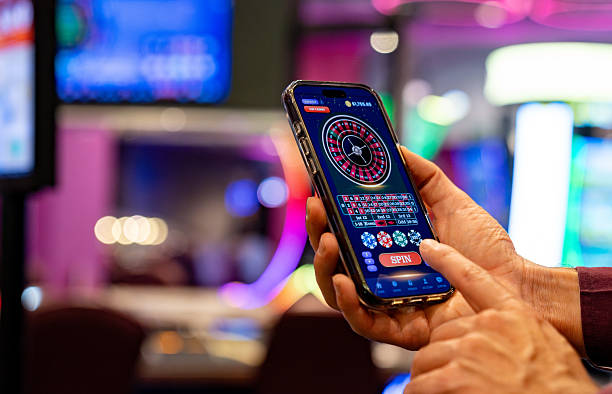
Our sikat888 Android app caches match data, payment information, and account settings locally on your device so the interface loads faster even on slower connections. Push notifications alert you to withdrawal status, account verification reminders, and ongoing tournaments such as Liga 1 or Piala Indonesia. The app stores your session so you remain logged in across app restarts; two-factor authentication is requested only on the first login from each device. Browser access (on iOS or desktop) offers the same features but requires login each time you close the tab, and no offline caching is available. Choose the app for convenience and speed; choose the browser if you switch devices frequently or prefer not to store data on your phone.
Device compatibility and network requirements
We at sikat888 support Android 7.0 and later on phones and tablets. iOS requires Safari or Chrome on iOS 12.0 or later. Older devices may experience slower load times or missing features. Network connectivity must support at least 3G speeds; 4G or WiFi is recommended for real-time match updates and instant payment processing. If you are on a limited data plan, the app uses approximately 2–5 MB per hour of active use, excluding video streams in live-dealer sessions.

Common installation issues and fixes
The most frequent problem is an "Unknown app" warning when installing the Android APK. This occurs because the app is not signed by Google Play; it is signed by our infrastructure and verified safe by us. To proceed, open Settings → Security → Unknown Sources and enable installation from unknown sources. After installation completes, you can toggle this setting back off. If the app crashes on launch, restart your device and ensure you have at least 50 MB of free storage. On iOS, if Safari warns that the site is not secure, dismiss the warning; our domain uses industry-standard HTTPS encryption. If you forget your password, use the Forgot Password link on the login screen; we email a reset link within subject to verification.
Data, permissions, and account security
Our sikat888 app requests permission to store files (APK cache), access your network connection, and send notifications. We do not access your contacts, photos, location, or microphone. The app never transmits your password in plain text; all communication between the app and our servers is encrypted. Your identity documents (ID, selfie, address proof) are stored in encrypted form and accessed only by our compliance team. Account balances are synchronised to our servers in real time, so your funds remain safe even if your device is lost. When you uninstall the app, cached data is deleted from your device, but your account and balance remain active on our servers. You can reinstall at any time and recover your account by logging in with your username and password.
- Two-factor authentication
- Required on first login from each device. You enter a code sent to your phone number.
- Encryption in transit
- All data between app and server uses HTTPS with TLS 1.2+.
- Session timeout
- Idle sessions expire after subject to verification; withdrawal requests require fresh login.
- Offline mode
- Android app caches account balance; game information require an active connection.